Announcement: Hands On with the Interactive Tycho Calculators
2026-11-16
For many years, Tycho has been and still is our collection of web calculators. It accompanies the Wndsn instruments and printed manuals, and it is where you go for a "third opinion" on a reading. Over the past weeks the calculators learned to move. Nearly every one of them now has a drawing you can move by hand. Drag a string or the Sun, and the numbers (and results) follow.
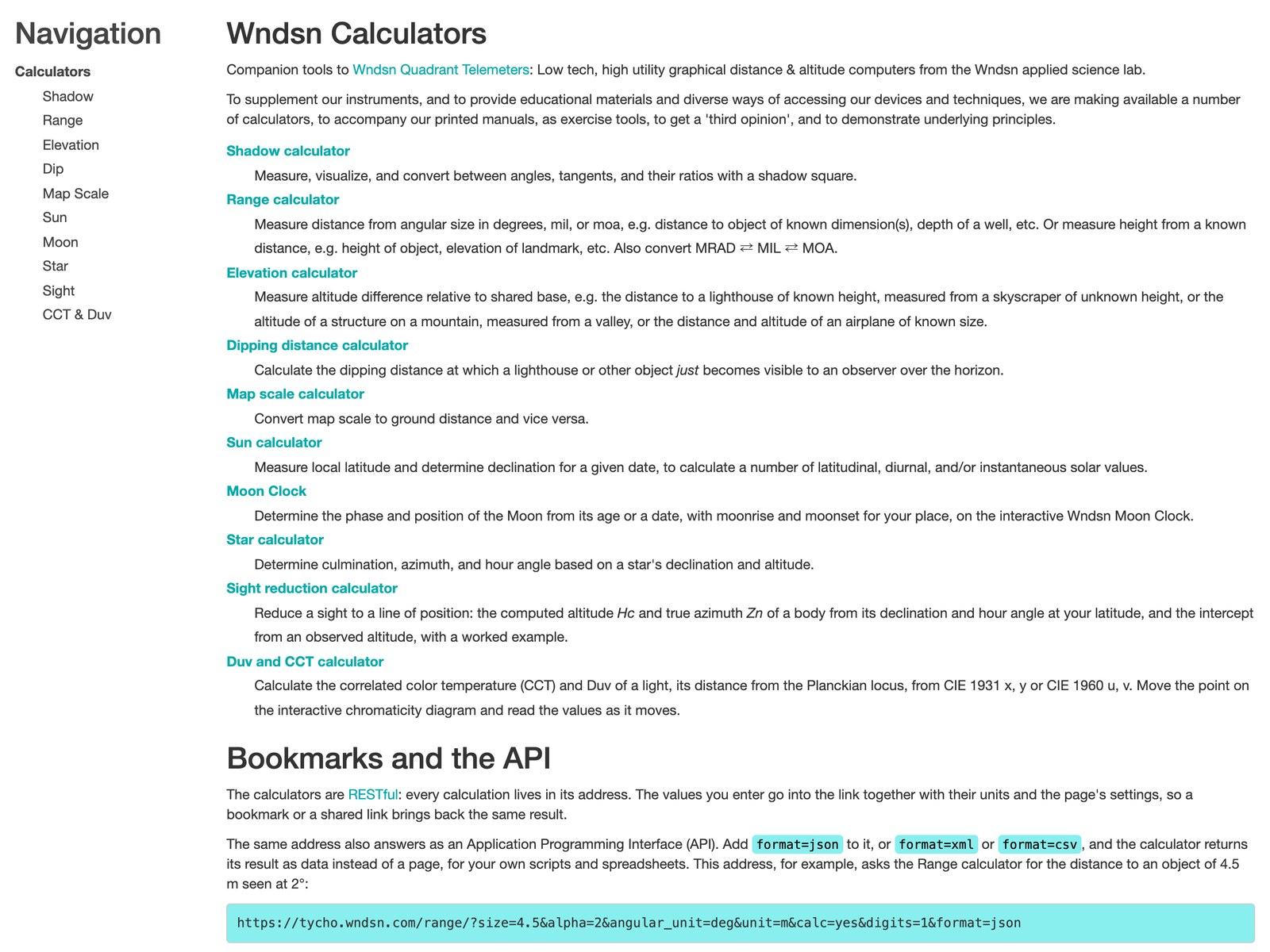
The calculators at tycho.wndsn.com.
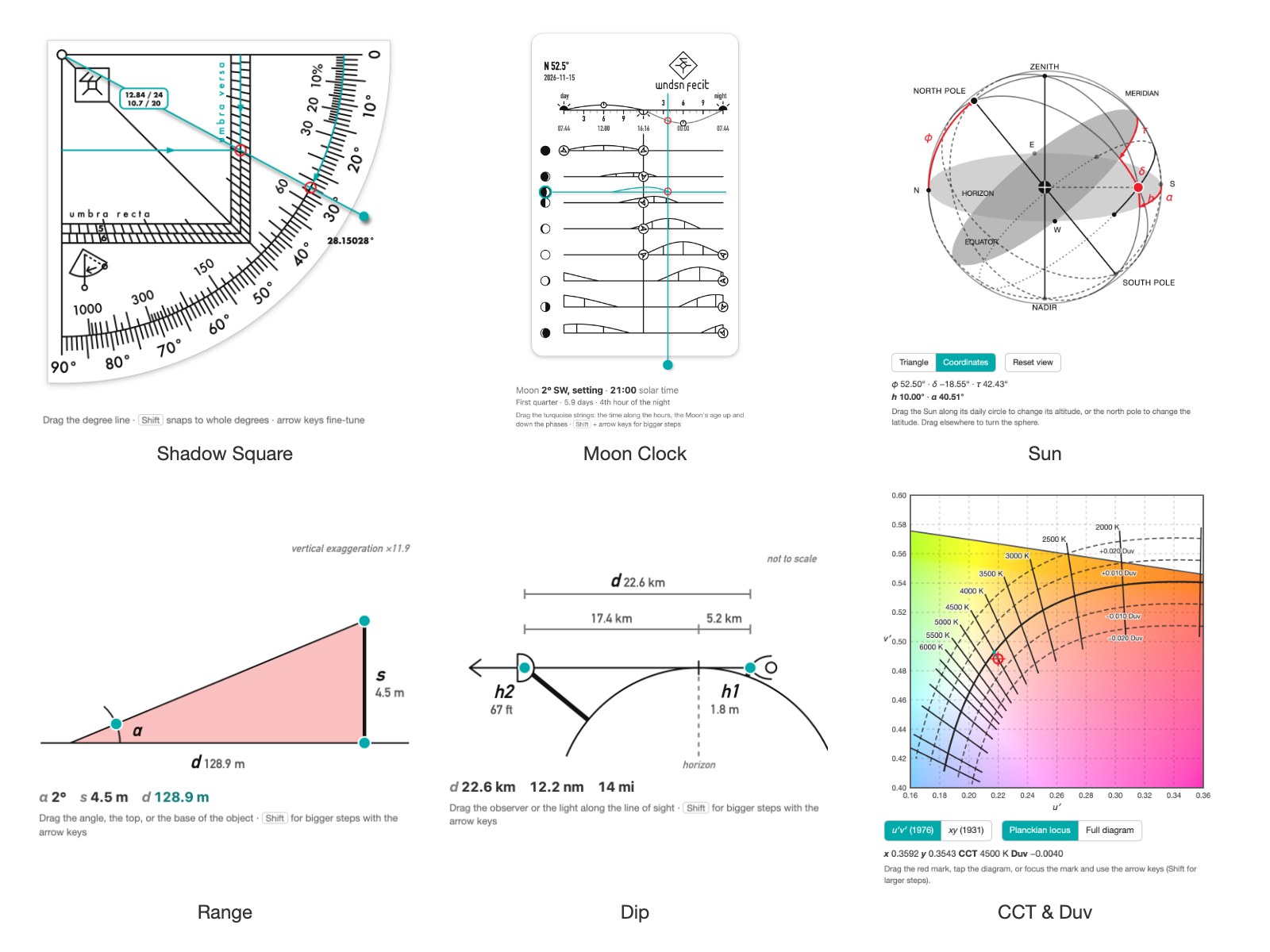
Six of the now interactive diagrams.
Drag instead of type
The Shadow Square calculator shows the Shadow Square of the Wndsn Quadrant. Pull the degree line across it, and the reading on both scales changes with it, together with the tangent and the cotangent. Type a value into the form instead, and the line rotates to it. Every field works both ways. Hold Shift to snap to whole degrees, or fine-tune with the arrow keys.
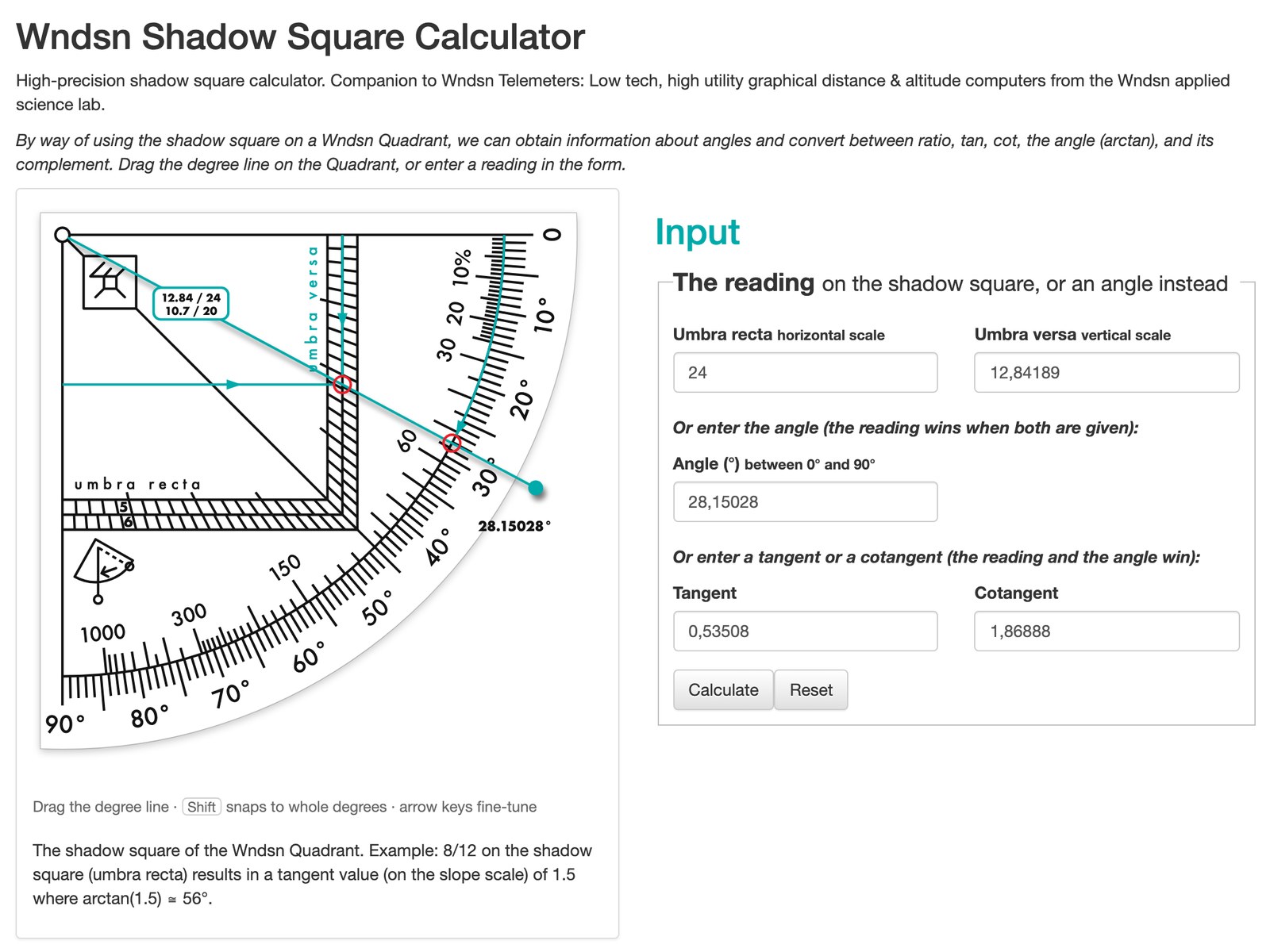
The degree line dragged to 28.15°. The form filled itself in.
The same idea runs through the other diagrams. On Range you drag the angle or either end of the object, and the third value comes from the other two. On Dip you move the observer or the light on top of the lighthouse along the line of sight. And on Elevation the observer can stand on a summit or step down into a valley.
The sky on a sphere
The Sun and Star calculators now share a celestial sphere. Drag the Sun along its daily circle to change its altitude, or drag the north pole to change the latitude. Drag anywhere else, and the sphere turns, so you can look at it from any side. The Sun page also has a "Use my location" button.
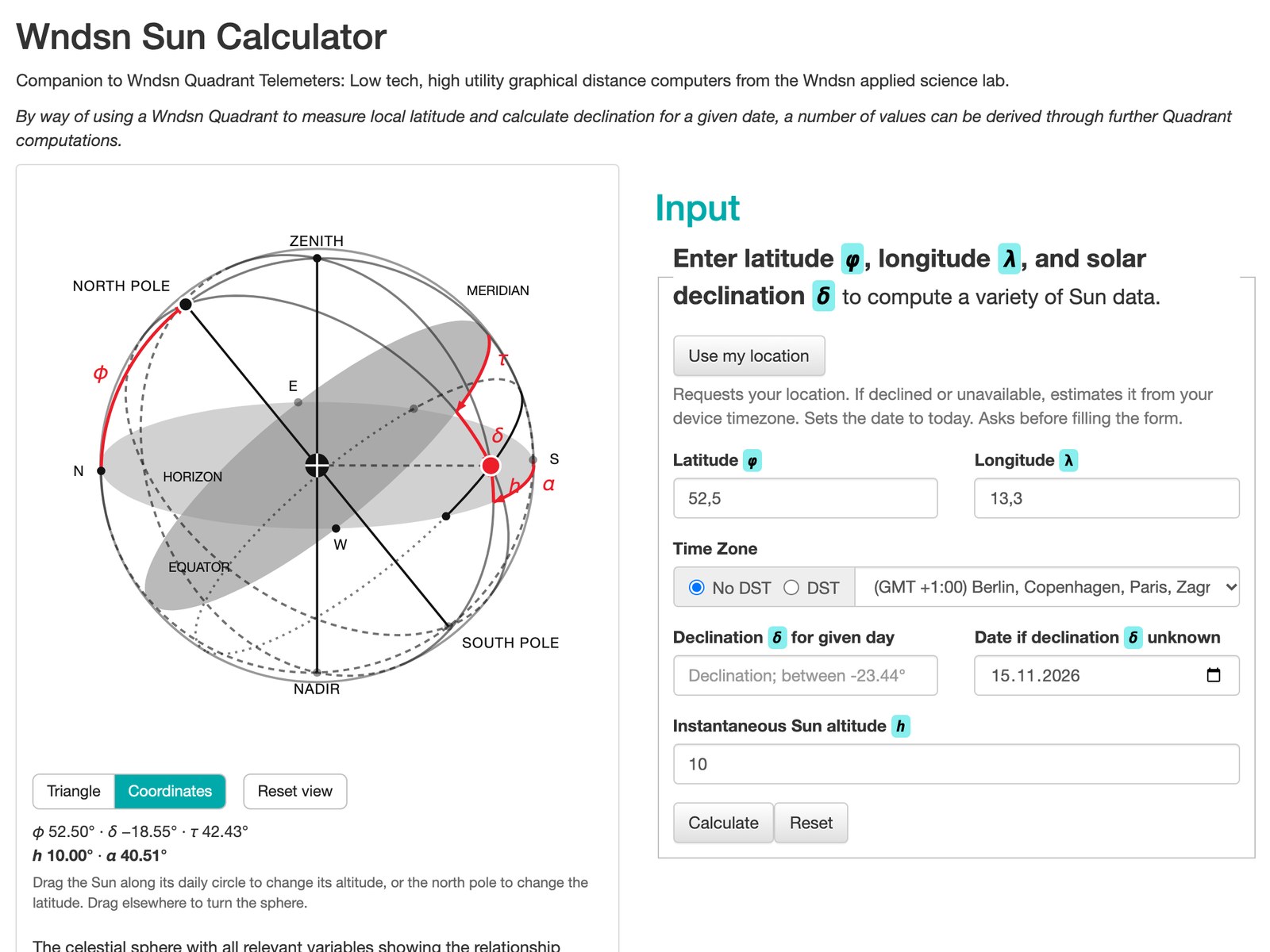
The Sun on its daily circle at 52.5° N.
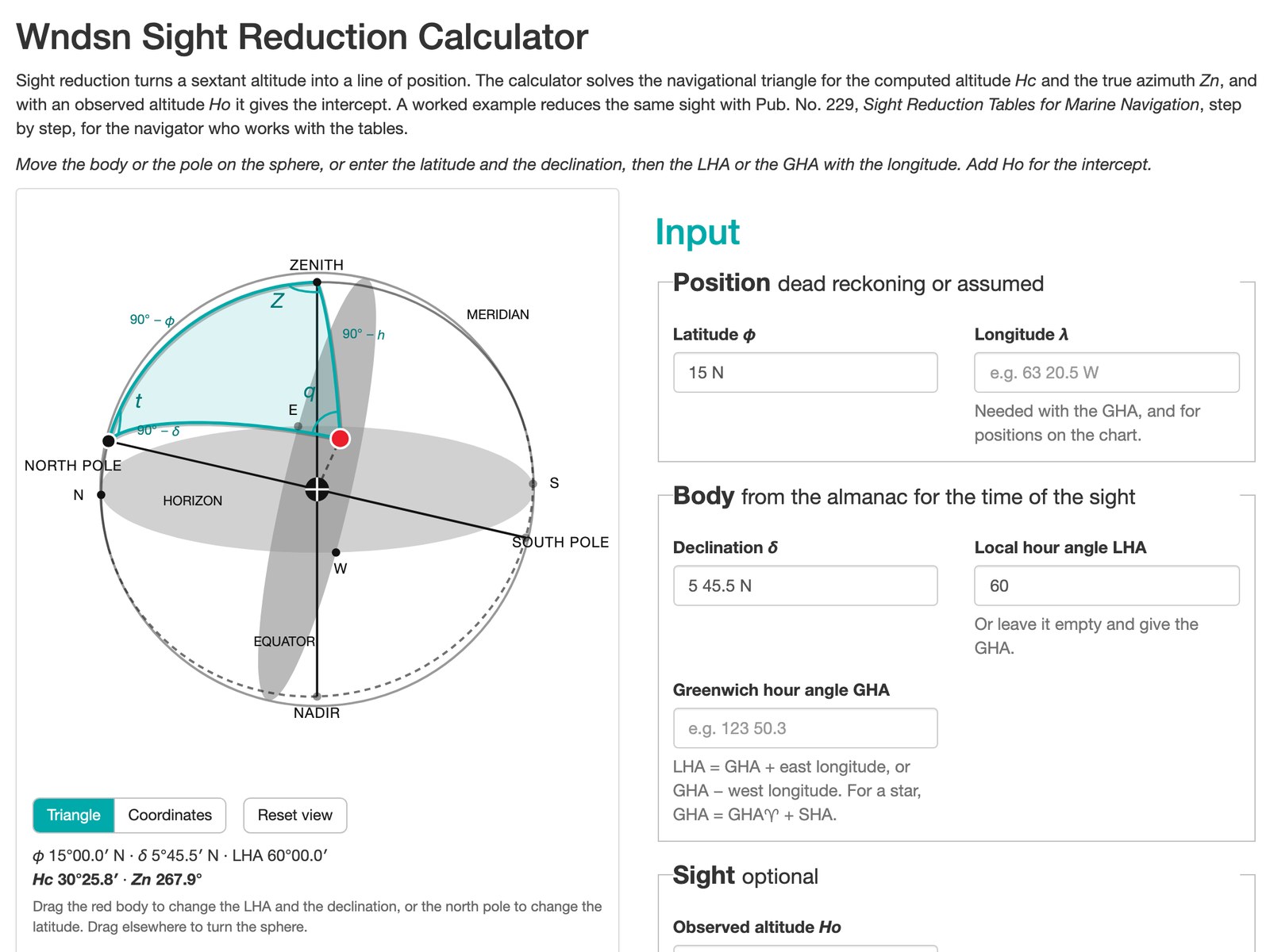
Sight reduction, with the navigational triangle in turquoise.
The Moon Clock
The Moon Clock works out the Moon's phase and position from its age and the time at your location. It has two turquoise strings. One runs along the hours, the other up and down the phases. Drag them, and the page tells you where the Moon stands, whether it is rising or setting, and when the next quarter comes.
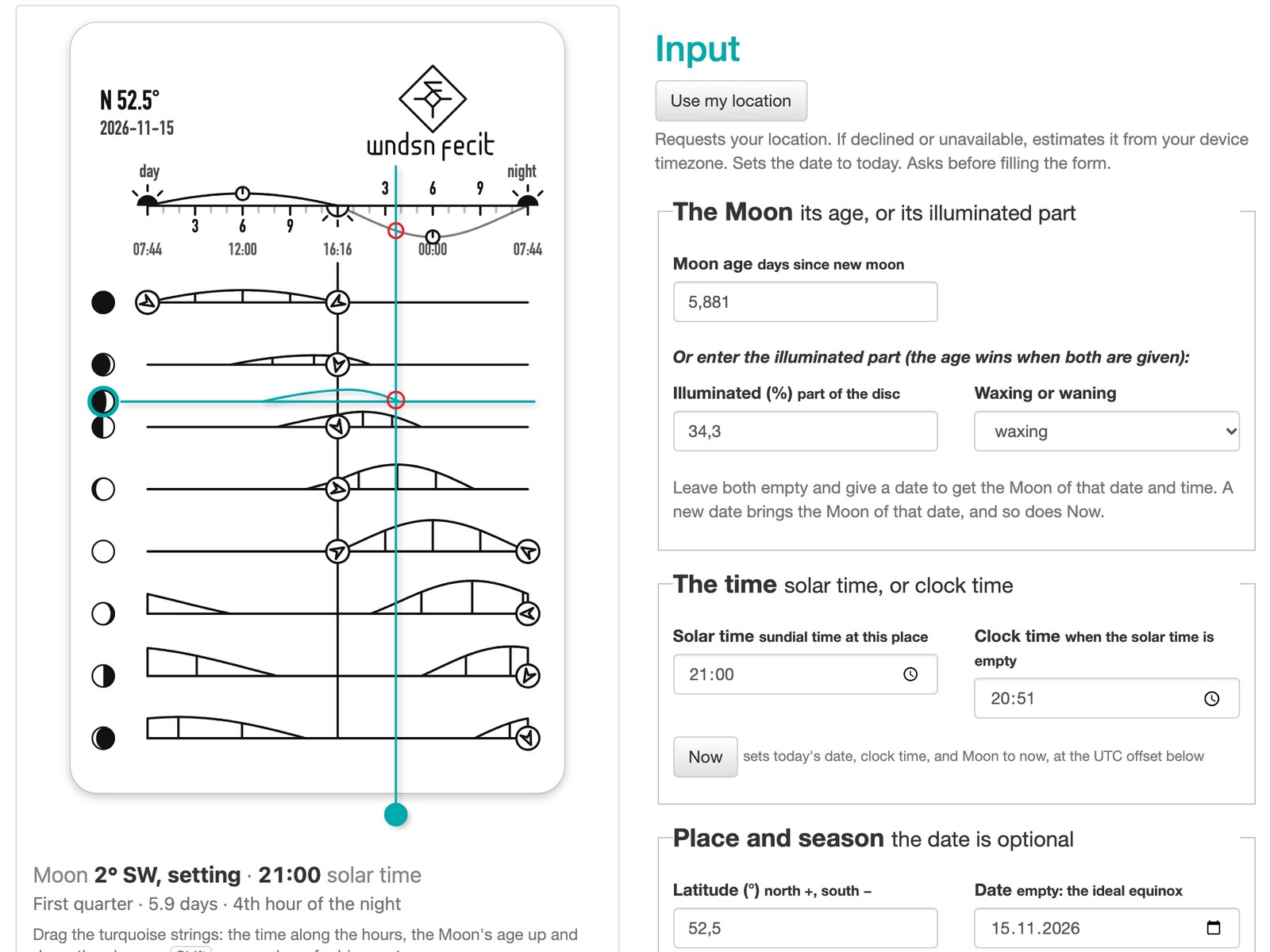
The Moon Clock: time over the course of a day, the Moon's age along the phases.
Two new calculators
Sight reduction turns a sextant altitude into a line of position. From your latitude and the body's declination and hour angle, it solves the navigational triangle for the computed altitude Hc and the true azimuth Zn. Add the observed altitude Ho, and you get the intercept. Move the body or the pole on the sphere, and the triangle reshapes as you go.
CCT and Duv is a bit off character since it is about light. But I needed it. Two numbers describe the color of white light. The correlated color temperature names the blackbody whose color comes closest, and Duv tells how far the light sits from the colors of a blackbody, and on which side. Drag the red mark across the chromaticity diagram and watch both values change.
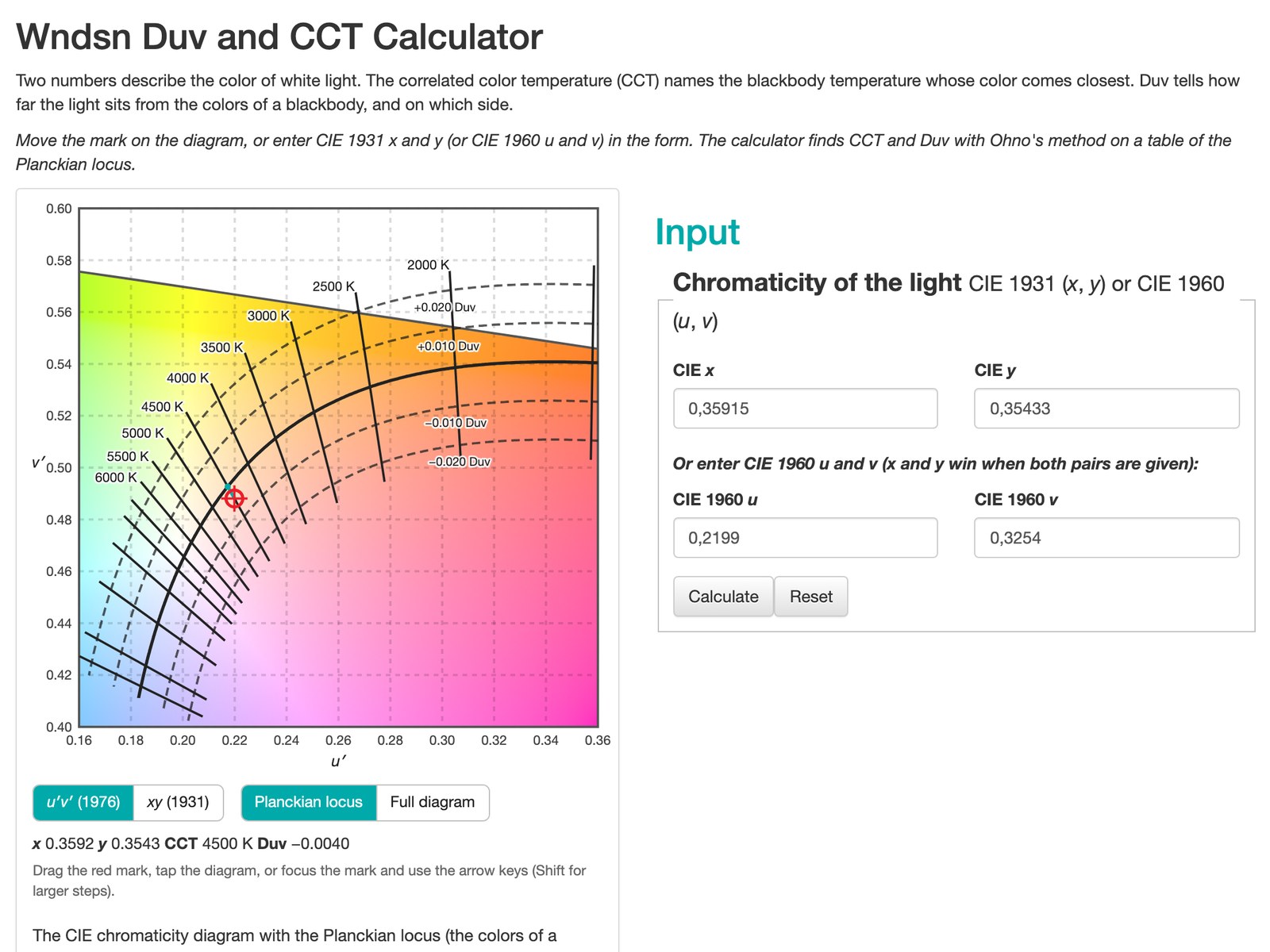
CCT and Duv on the chromaticity diagram.
Every result has an address
As you drag, the address in your browser follows along. Bookmark it or send it to someone, and it opens on exactly what you had on screen. That makes a Tycho link a good way to share a reading, or to keep the numbers of an observation with your notes. One of the foundational features of Tycho at its first release in 2021.
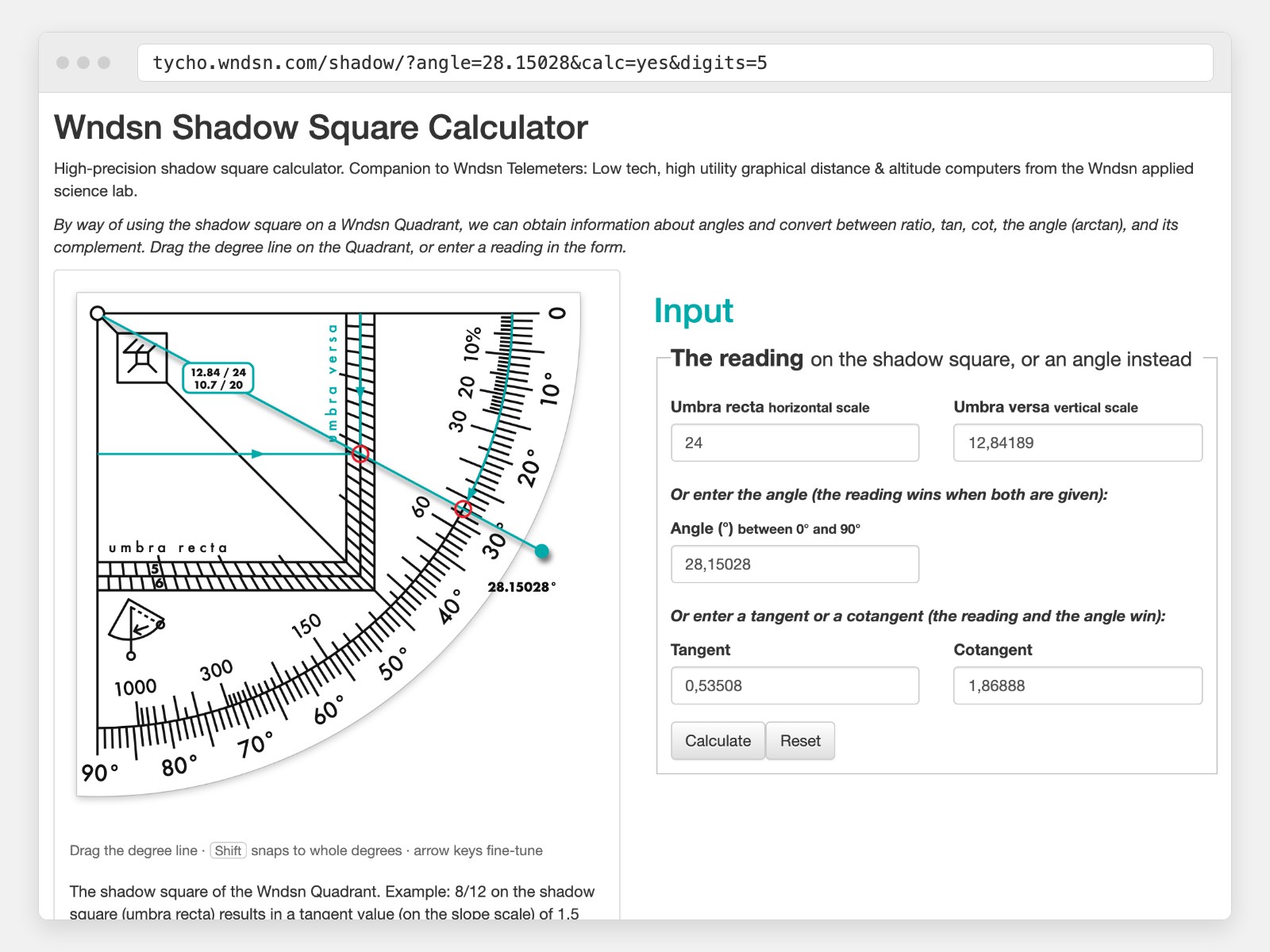
The angle from the drag, now part of the address.
The same address can also answer as data, in JSON, XML, or CSV, for your own scripts and spreadsheets. That part has its own page on Tycho, together with a small Python package.
Height now lives in Range
The separate Height calculator is gone. Give Range a distance and an angle, and it gives you the height. Old Height links forward to Range with their values, so your bookmarks keep working.
The drawings work with a finger on a phone and with the arrow keys on a keyboard. Try them, and tell me what you find.
See also: